> [!CAUTION]
> # This project is going through a full rewrite.
> Any previous version may contain unknown and unfixed bugs.

##
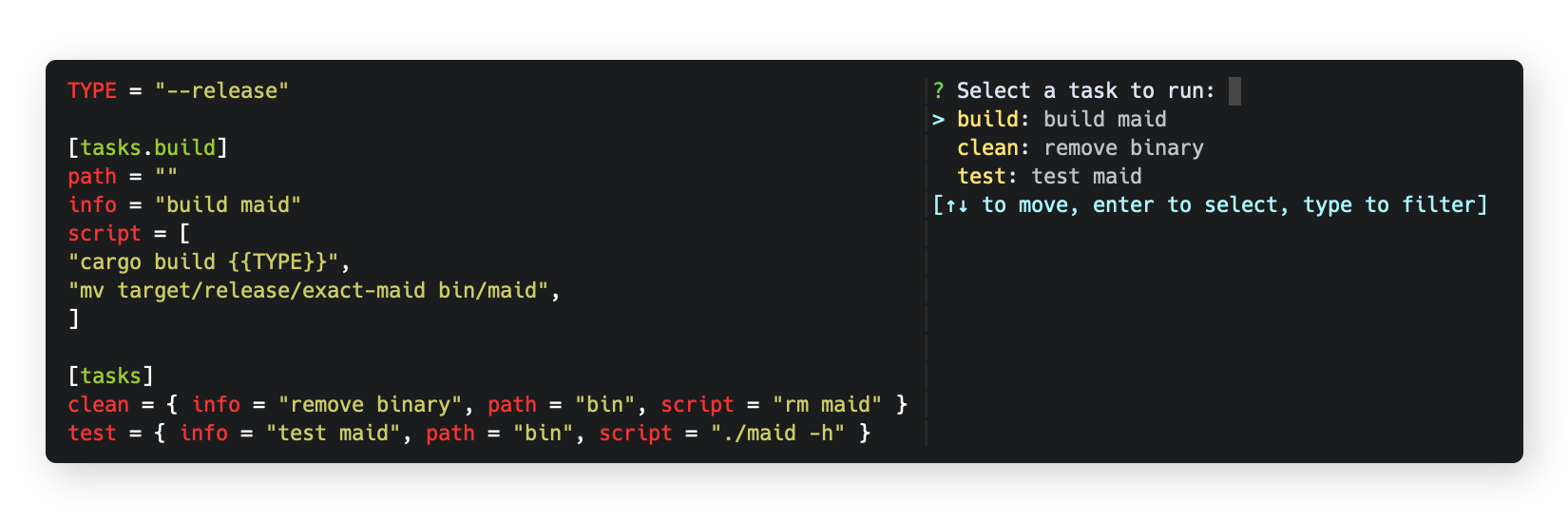
Maid is a task runner / build tool that aims to be simpler and easier to use than, for example, GNU Make.
Tasks are stored in a file called `maidfile` using the TOML syntax.
 ### Quick Start
See the [installation](#installation) section for how to install just on your computer. Try running `maid --version` to make sure that it's installed correctly.
Once maid is installed and working, create a file named maidfile in the root of your project with the following contents:
```toml
[tasks.hello]
info = "this is a comment"
script = "echo 'hello world'"
```
Running maid with no arguments shows a list of tasks in the maidfile:
```bash
~ $ maid
? Select a task to run:
> hello (this is a comment)
[↑↓ to move, enter to select, type to filter]
```
For more commands, check out `maid --help`
### Installation
Pre-built binaries for Linux, MacOS, and Windows can be found on the [releases](https://github.com/exact-labs/maid/releases) page.
#### Building
- Clone the project `git clone https://github.com/exact-labs/maid.git`
- Open a terminal in the project folder
- Check if you have cargo (Rust's package manager) installed, just type in `cargo`
- If cargo is installed, run `cargo build --release`
- Put the executable into one of your PATH entries
### Quick Start
See the [installation](#installation) section for how to install just on your computer. Try running `maid --version` to make sure that it's installed correctly.
Once maid is installed and working, create a file named maidfile in the root of your project with the following contents:
```toml
[tasks.hello]
info = "this is a comment"
script = "echo 'hello world'"
```
Running maid with no arguments shows a list of tasks in the maidfile:
```bash
~ $ maid
? Select a task to run:
> hello (this is a comment)
[↑↓ to move, enter to select, type to filter]
```
For more commands, check out `maid --help`
### Installation
Pre-built binaries for Linux, MacOS, and Windows can be found on the [releases](https://github.com/exact-labs/maid/releases) page.
#### Building
- Clone the project `git clone https://github.com/exact-labs/maid.git`
- Open a terminal in the project folder
- Check if you have cargo (Rust's package manager) installed, just type in `cargo`
- If cargo is installed, run `cargo build --release`
- Put the executable into one of your PATH entries